While you may have gotten away with starting a business with absolutely no IT a few decades ago, this certainly isn’t an option today! Now, if a business has no social media presence, or the apparatus to keep connected with important customers and clients, they might as well not exist! Seen as you’ve been planning to start a business for some time now, you probably know full well how many different processes are going to depend on IT. What you may not be so familiar with is how to actually set it all up. Here’s a guide to setting up the IT department at your first business.
We’ll start this off with the basic components you need for a functional IT department. In any modern business, computers are the workhorses which make everything tick. Each employee, apart from the janitorial staff and other manual workers, is probably going to need their own computers. Unless you want to put yourself through all the headaches that come with setting up an apparatus of Linux computers, then you’ll have two practical choices: macs and PCs. PCs are probably the most practical choice, as more of your employees will be familiar with them, and they tend to be more compatible with the commercial software you’re going to need. They’ll also be more affordable to buy in large quantities. Having said that, if your business happens to deal with sound production, graphic design, or other creative tasks, then a Mac may be the better option. You’ll have to think carefully about how many desktops and laptops you’ll need as well.

Desktops are the more cost-effective option by far, however, there’s some extra flexibility with laptops. For example, if you have employees who frequently need to meet suppliers or work remotely, they’ll need to have a laptop or a tablet with the same kind of compatibility. While you may be tempted to buy low-end or entry-level models, it’s almost always a more cost-effective option to go with mid-range computers. More complex tasks can require more sophisticated computers, so make sure you’re taking this into account too. Choose the largest monitors and most comfortable mice you can realistically afford. Remember that it’s 2016. Don’t be too stuck in your ways, and consider employing BYOD policies and making room for mobile devices in other ways. This can save you a small fortune in the long run!
The other big side to your hardware is accessories like printers, scanners and so on. Modern laser printers are both quick and reliable, meaning you won’t need to deal with any irritating queues when everyone’s on the printer’s network. Just make sure you’re reading a lot of reviews and doing some maths relating to the running costs. Once you use this apparatus for a long enough time, the running costs can seriously outweigh the initial purchase price. If you’re going to need a scanner or copier in the office, then be sure to consider getting an all-in-one machine. This will allow you to print, scan and copy from one place, while saving you a massive chunk of money compared to buying them all separately. When you’re drawing up your list, make sure you’re not missing out on any hardware you might need. Some businesses, even B2B firms, may need to use a point-of-sale device here and there. Obviously, it’s your business, and you’ll know the kinds of hardware you need better than I do. Whatever you go with though, it’s important to look into some support or managed IT services. I don’t have to tell you how frustrating and chaotic it is when a fledgling start-up’s whole system crashes!
The next big category you need to think about is software. At the very least, you should have Microsoft Office on all the computers your employees are going to be using. They’re likely to be familiar with its programs, and you’ll ensure a certain degree of compatibility when you’re sending files to partners and clients. Many software vendors offer considerable discounts when you buy several copies in bulk, so be sure to explore your options here. Another integral part of your IT infrastructure is going to be accounting software. There are countless examples of accounting software out there today, which will make your financial responsibilities so much easier. You’ll be able to set yourself reminders for taking care of important tax processes, and save some money on a commercial accountant. Many of these programs come with features for managing your payroll, which can be a load off if you’re used to doing it manually. A CRM system will also simplify your correspondence with customers and clients, and ensure that all your orders are being fulfilled on time. Like your hardware, it’s also important to make some room for mobile tech. There are a lot of office packages that bundle in mobile versions of common programs these days, so consider this is a possibility.
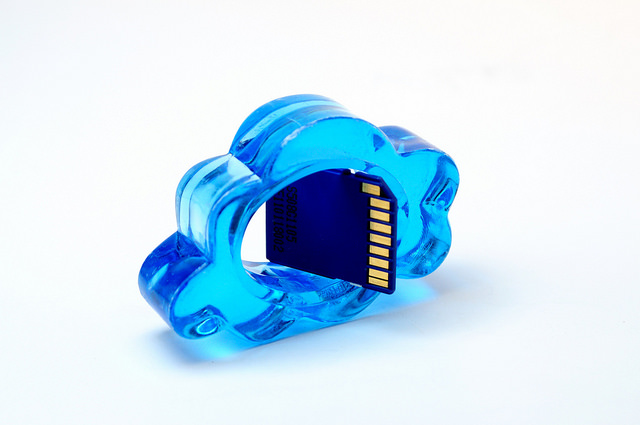
Photo credit: David Santaolalla
Next we have cloud computing. This is related to, but not strictly a part of your business’s software. More and more, we’re seeing various business functions being switched over to the cloud, saving businesses massive amounts of time and money. By sourcing the right cloud computing systems, you’ll be able to get the IT system you need, while keeping your initial technology expenses nice and low. If you weren’t already aware, cloud programs allow you to sign in to a service online, rather than buying software to be installed on everyone’s computers. Furthermore, you’ll usually be charged a monthly fee rather than having to pay a hefty one-off cost for the program. The overall capital a business will spend on cloud computing as opposed to traditional software usually works out pretty much the same. However, it will be much less of a strain on your business’s finances if you only have to worry about monthly payments. Another prominent benefit of cloud software is that it’s not tied to any one computer, unlike a lot of traditional software. You can access them from any compatible device, provided you have the right credentials. It’s also very flexible in the way that you can crank the capacity up or down pretty much as you want to. This means that you won’t have a problem when a new employee joins, and that you won’t be stuck paying too much if someone leaves.
You’ll find that a lot of the cloud packages available to you come with dedicated support and maintenance, too. I probably don’t have to tell you how frustrating it can be to deal with the tech support from most traditional software, or having to hire in an unprofessional or inexperienced third-party service. By choosing the cloud, you’ll be able to relieve some of the burden of setting up a new IT department. Help will be at hand when you need it, and all the updates and security patches will be taken care of without you having to worry about it.
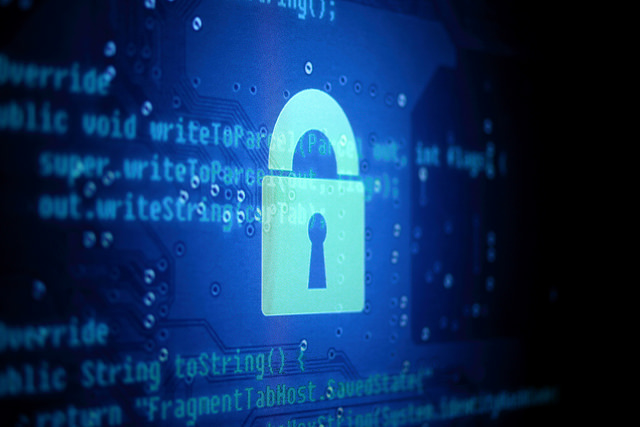
Photo credit Yuri Samoilov
The final point I’ll touch on, which is just as important as any of the others, is your IT security. No matter what kind of business you’re running, the information you’re going to keep on your computers is going to be exceedingly valuable. You need to be taking all the steps you can to ensure that you don’t lose any of it. Whether your data loss comes from intentional attacks, like hacking or malware, or accidental things like a technical failure or human error, data loss should be avoided at all costs!
When you’re first planning out your network, try to think about security at every last turn. Make sure that strong passwords are part of the system from the very start. You may want to use an authenticator for those accounts which you really can’t afford to compromise. Firewalls will add an extra layer between your company’s IT system and cyber-attacks. You’d also do well to look into encryption, which will protect any of your data that’s being transmitted online or wirelessly within your office. General virus protection software is the very least you can have – on every last device at your business. Remember to get packages that are designed for commercial use though, rather than home computers. The most dangerous hackers care a lot more about business’s data than they do about getting into private computers.
Finally, ensure you’re operating with an airtight backup system. Every modern business should have a routine for backing up all their important data, and never let it slide. You should be keeping at least one backup file set off-site and protected from both technical issues and the elements. There are various cloud solutions for this these days, so start browsing! Of course, most of the security measures you implement at your company will all be for nothing if your employees are too blasé about it. Take steps to ensure that every employee, both current and new, is aware of how damaging and costly a security breach has the potential to be. Implement a strict security policy, and firm reprimands for anyone who breaks it.

 Working from home can be great for your productivity; with no distractions, you can do your best work. However, a home office that is too hot or too cold can leave you struggling to concentrate. Let’s take a look at how environment can affect productivity and how you can ensure your office is always at the optimal temperature.
 As an SME owner, you’re likely to be the heartbeat of your business. After all, your business is your baby. It was your idea originally, which means it’s also your risk. In short, you’re the reason that your business has succeeded. But, just because you run a profitable SME doesn’t mean that your business has reached its full potential, and it doesn’t mean that you can’t become a better owner, too.
 Over the last few years business experts around the globe have been telling business owners to be
  If you want to promote your business either online or offline – great photos are a must. Both marketing as well as advertising are increasingly visual nowadays, and people will respond a lot better if you have some great photos to accompany your message.